
As a Nexonia Administrator, you can pay your Nexonia invoices directly in the user interface.
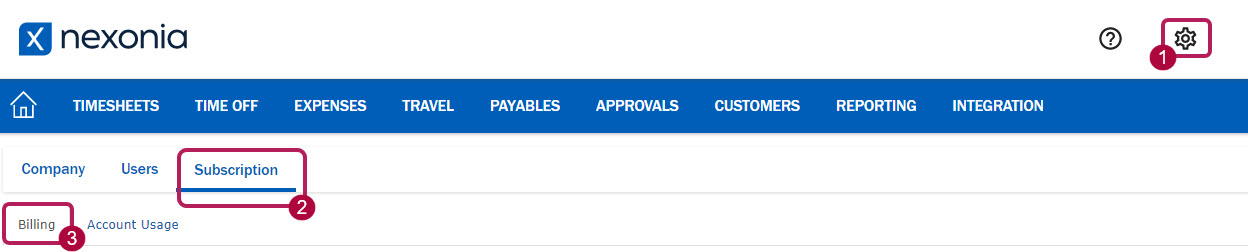
Step 1: Navigate to Settings > Subscription > Billing.
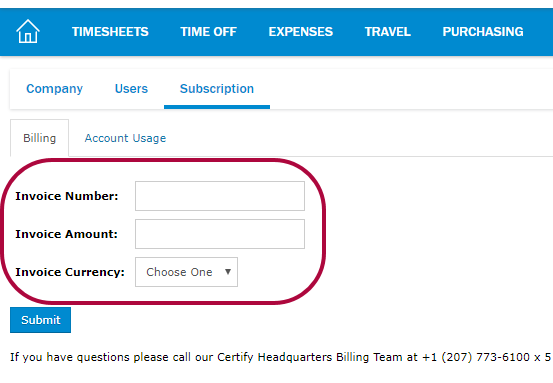
Step 2: Enter the Invoice Number, Invoice Amount, and Invoice Currency.
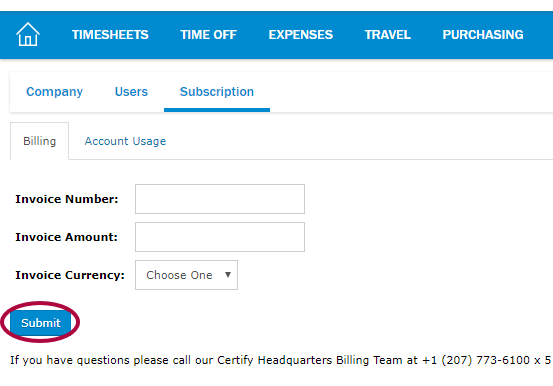
Step 3: Click Submit.
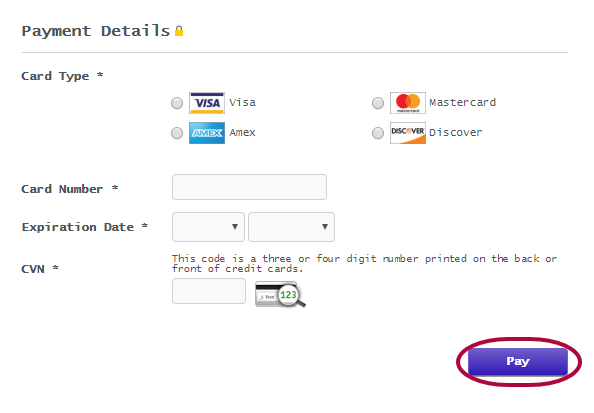
Step 4: A new tab will open where you enter the Billing Information/Payment Details. Click Pay to process the payment.
Comments
0 comments
Article is closed for comments.