
As a TMC Administrator, you can allow users to be a Travel Planner and book trips on behalf of another user.
This article shows you, a TMC Administrator, how to create Guest Profile Access.
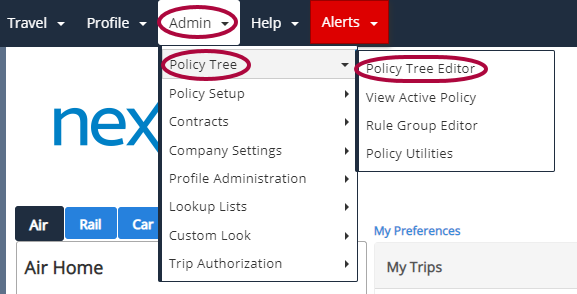
Step 1: On your Nexonia Travel homepage, click Admin. Then, click Policy Tree followed by Policy Tree Editor.
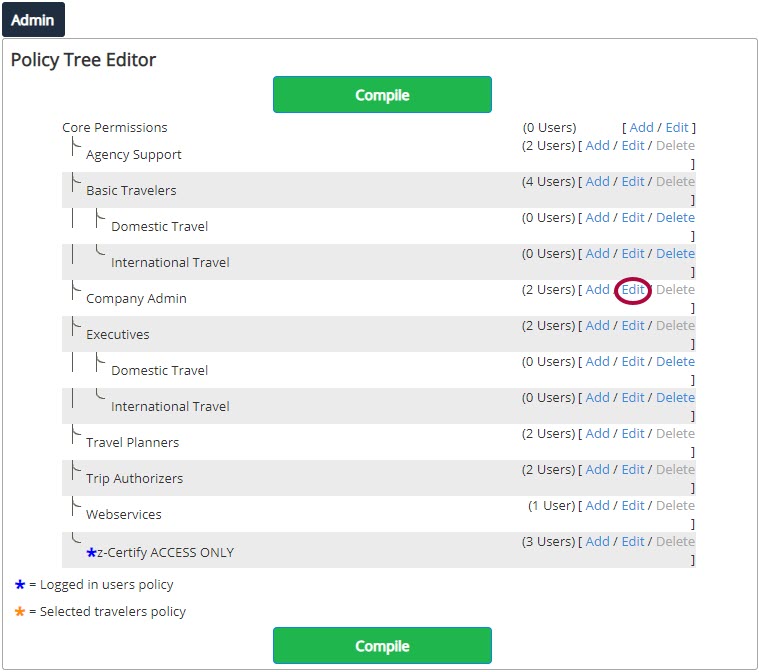
Step 2: Click Edit for the policy you want to have access to the Guest Traveler profile.
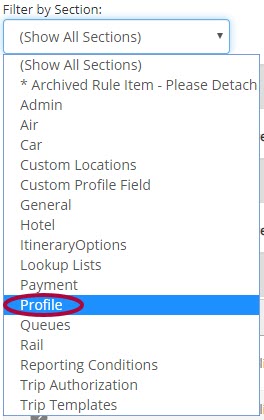
Step 3: Change the Filter by Section to Profile.
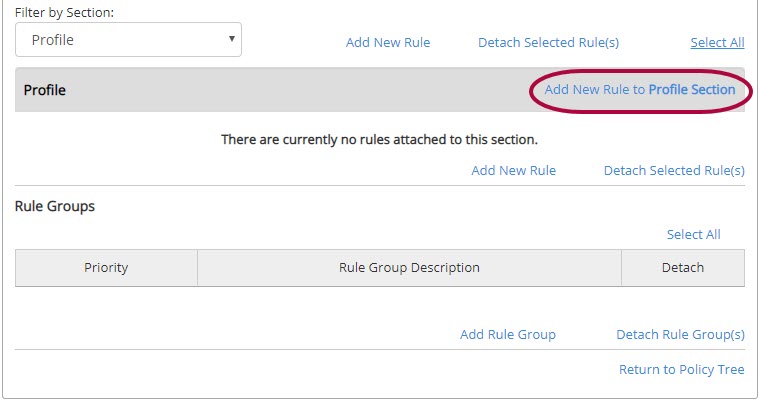
Step 4: Click Add New Rule to Profile Section.
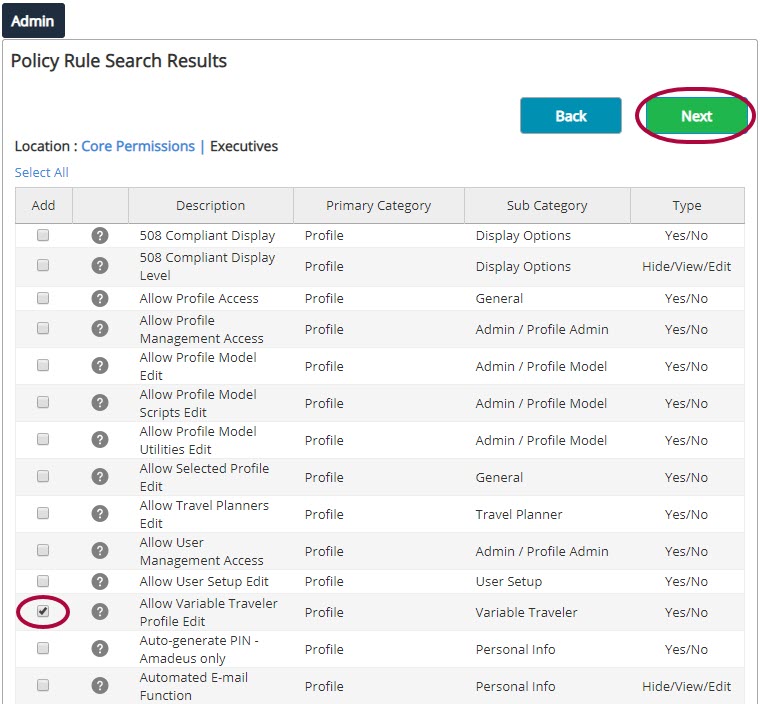
Step 5: Click the box next to Allow Variable Traveler Profile Edit and click Next.
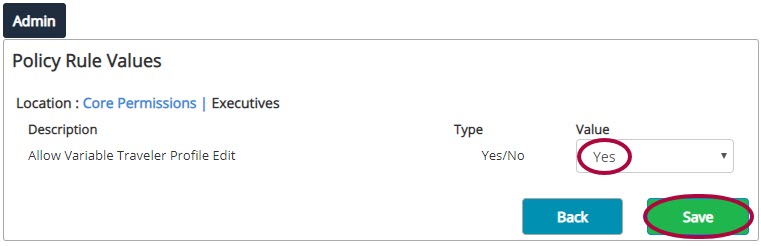
Step 6: Set the Value to Yes. Click Save.
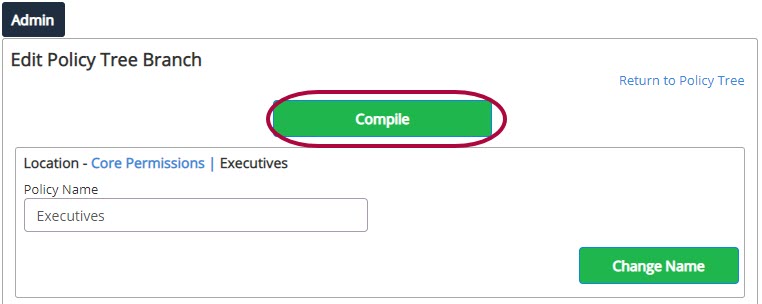
Step 7: Click Compile.
For next steps, view our article on Booking Guest Travel.
Comments
0 comments
Article is closed for comments.