
Nexonia Travel provides a Travel Planner option so designated users can book travel on another user's behalf. This is handy, for example, if a manager often has their administrative assistant book travel for them.
This article shows you, a Nexonia Travel User, how to establish a Travel Planner to book trips on your behalf.
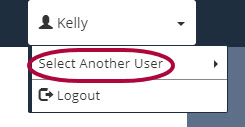
Step 1: On your Nexonia Travel homepage, hover over your traveler name and click Select Another User.
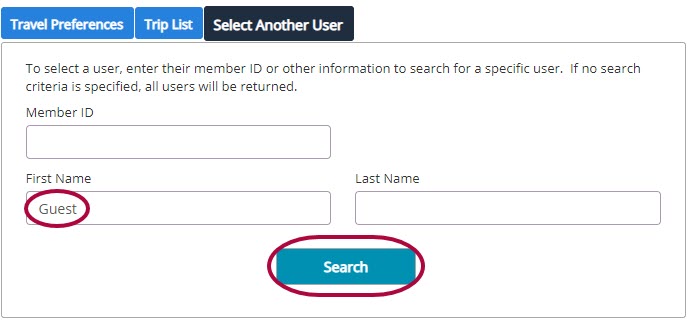
Step 2: Enter Guest in the First Name field and click Search.
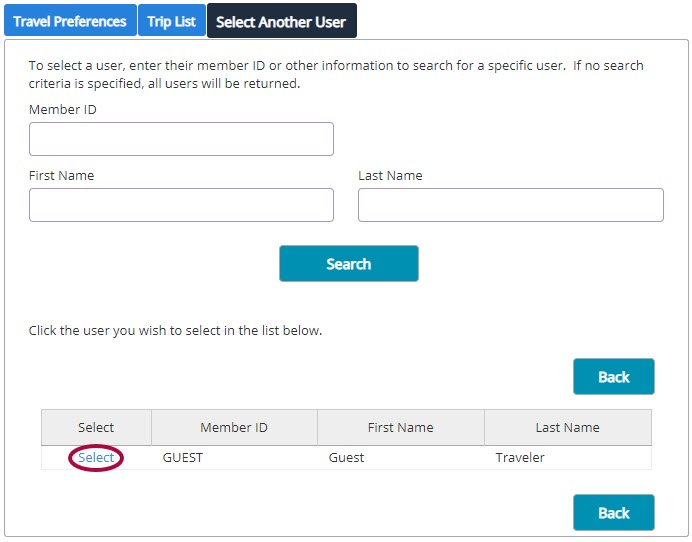
Step 3: Click Guest Traveler.
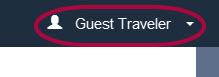
You are now in the Guest Traveler profile.
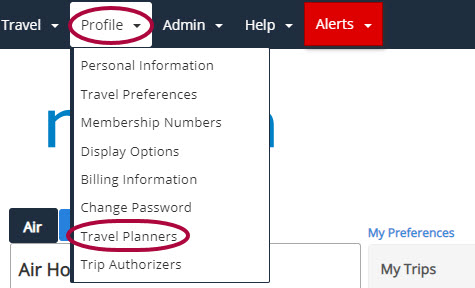
Step 4: Add a new Travel Planner to the Guest Profile by clicking Profile, then Travel Planners.
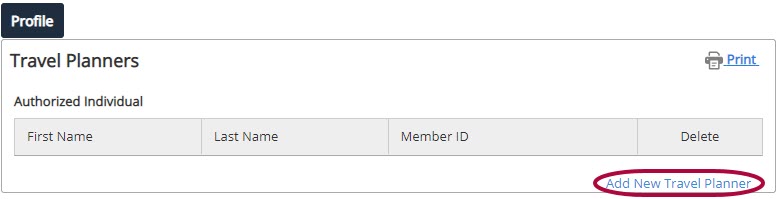
Step 5: Click Add New Travel Planner.
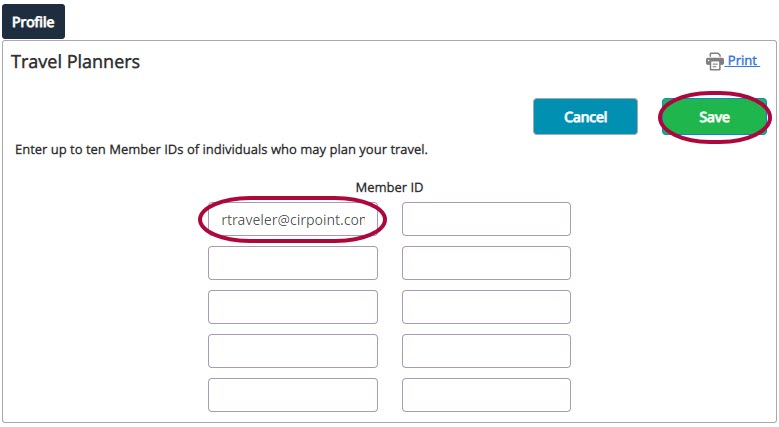
Step 6: Add the company email address for the employee who will be booking travel on your behalf to the Member ID section and Save.
Step 7: Now, this employee can select your name from the Traveler profile and book travel on your behalf.
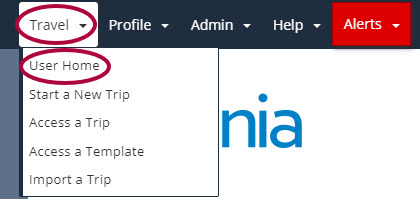
You can now begin the booking profess for Guest Traveler.
Comments
0 comments
Article is closed for comments.